7 Social Media Time Management Strategies for 2026
Master your social media time management with 7 actionable strategies. Learn to batch, block, and engage efficiently to boost productivity and reduce stress.

In a world where attention is the new currency, mastering social media is crucial for growth. Yet, the very platforms designed to connect us can become productivity black holes, consuming hours with mindless scrolling and context switching. For businesses, creators, and agencies, this isn't just lost time; it's lost revenue, missed opportunities, and creative burnout. The constant pressure to be "on" can derail your most important tasks, leaving you feeling busy but not productive.
Effective social media time management isn't about quitting platforms; it's about using them strategically to achieve specific goals without sacrificing your focus. It’s about transforming social media from a reactive time sink into a proactive, high-impact tool for brand building, community engagement, and lead generation. While many guides focus on personal use, this article provides a professional framework for reclaiming your schedule. Beyond just social media, understanding effective strategies for limiting overall screen time can significantly contribute to better digital habits.
This guide moves beyond generic advice. We will introduce seven powerful, actionable strategies designed to optimize your workflow, including Time Blocking, the 5-Minute Rule, and platform-specific allocation. Each method is a practical system you can implement today to control your calendar and drive meaningful results.
Strategy 0: Build Leverage Before You Optimize Time
One of the fastest ways to improve social media time management is to stop doing everything manually. Even with time blocking and batching, the real drain comes from repetitive growth tasks: daily engagement, finding the right accounts, staying consistent, and keeping momentum on days you’re slammed.
This is where smart automation becomes a strategy—not a shortcut. Tools like BoostFluence help you systemize the “always-on” parts of growth so you can stay focused on what actually moves the needle: content quality, offers, creative direction, and client delivery. Instead of living inside the app, you set your parameters, track performance, and let the day-to-day engagement run in the background.
How to Implement This Strategy
- For creators: Use BoostFluence to maintain consistent outreach and niche targeting while you batch content once or twice a week. Your “social time” becomes strategy + creation, not endless engagement.
- For businesses: Pair BoostFluence with platform-specific allocation. Put most of your attention into the platform that converts best, while BoostFluence supports steady discovery and interaction on Instagram.
- For agencies: Standardize a repeatable workflow: onboarding → targeting setup → scheduled reporting → optimization. This reduces manual workload across multiple client accounts and keeps results consistent.
Actionable Tips for Success
- Time-block BoostFluence like a system check: 20–30 minutes, 2–3x per week for adjustments and review (instead of daily reactive scrolling).
- Use it to complement your content rhythm: Your posts create demand; BoostFluence helps increase exposure and engagement consistency.
- Treat it like a one-week experiment: Set it up, measure outcomes (follower quality, engagement, profile visits), then decide what to scale.
If you want a time-efficient way to grow without living on your phone, start BoostFluence with a free trial and treat it as a productivity strategy: less manual effort, more consistent momentum.
1. Time Blocking for Social media
Time blocking is a powerful social media time management technique that involves scheduling specific, non-negotiable blocks of time in your calendar for all social media-related activities. Instead of reactively checking notifications or aimlessly scrolling whenever the urge strikes, you proactively dedicate focused periods to tasks like posting, engaging with your audience, and curating content. This method transforms social media from a constant interruption into a planned, intentional part of your workflow.
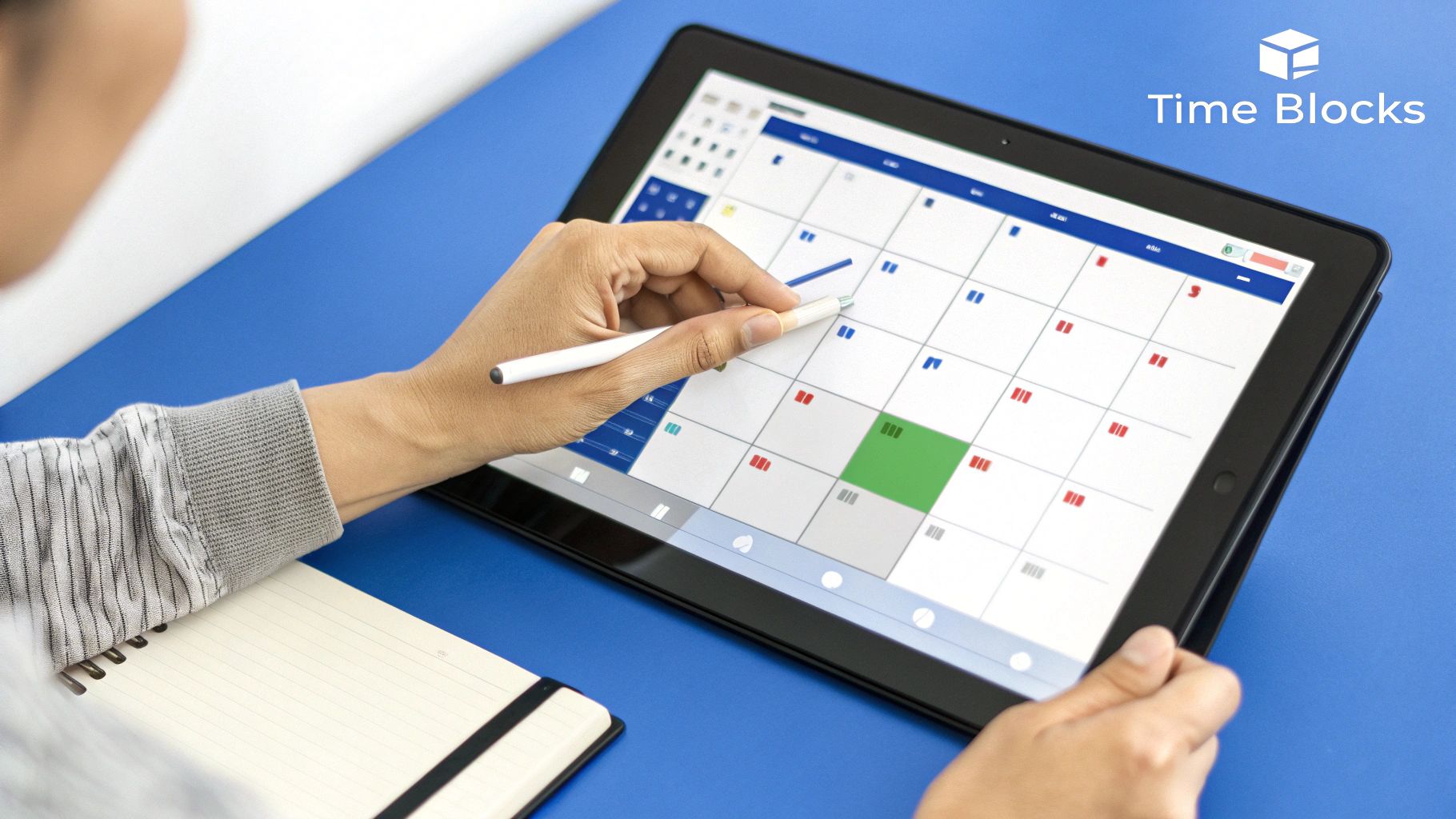
Popularized by authors like Cal Newport in his book Digital Minimalism, time blocking combats the "always-on" culture that drains productivity. By fencing off your social media time, you reclaim control over your schedule and prevent digital distractions from derailing your core business activities.
How to Implement Social Media Time Blocking
Implementing this strategy is straightforward but requires discipline. Start by auditing your current social media usage to determine how much time you realistically need. From there, you can schedule your blocks.
- For Content Creators: Dedicate separate blocks for different tasks. For example, schedule a 30-minute block on Monday for "Content Ideation," a 45-minute block on Tuesday for "Community Engagement," and a 20-minute block on Wednesday for "Analytics Review." This prevents context-switching and boosts focus.
- For Agencies: An agency managing multiple clients might block 9:00-9:30 AM for Client A's engagement, 1:00-1:30 PM for Client B's content deployment, and 4:00-4:30 PM for a final check-in across all accounts. This ensures each client receives dedicated attention without overlap.
Actionable Tips for Success
To make time blocking stick, you need to create an environment that supports it.
- Turn Off Notifications: This is non-negotiable. Disable all social media push notifications on your phone and desktop. Your scheduled block is the only time you should be actively looking at the platforms.
- Use a Calendar: Physically add your social media blocks to your digital calendar (e.g., Google Calendar, Outlook) and set reminders for the start and end times. Treat these appointments with the same respect as a client meeting.
- Keep a "Capture List": When a brilliant idea for a post or a person to follow pops into your head outside a block, jot it down in a dedicated notebook or digital note. Address it during your next scheduled social media session. This prevents the "just one quick check" trap.
{{INTERN}}
2. The 5-Minute Social Media Rule
The 5-Minute Social Media Rule is a micro-management technique designed to combat mindless scrolling by limiting each social media session to a strict five-minute window. Instead of getting lost for long periods, you engage in short, purposeful bursts of activity. This method leverages psychological principles that show defined, short-term limits can drastically reduce the cognitive load and prevent the "scroll paralysis" that consumes hours of otherwise productive time.
Popularized by digital wellness advocates and productivity influencers, this rule helps reframe your relationship with social media from a time-sink to a quick, efficient tool for connection and information gathering. It’s a powerful strategy for anyone struggling with the addictive nature of infinite-scroll feeds, providing a simple yet effective boundary for better social media time management.
How to Implement the 5-Minute Rule
Implementing this rule is about creating a hard stop that you consistently honor. The key is to be intentional with every micro-session, ensuring you accomplish a specific goal before the time is up.
- For Freelancers & Entrepreneurs: Use a 5-minute break between deep work tasks to quickly check LinkedIn messages or respond to a comment on a business Instagram post. This allows for necessary engagement without derailing your focus.
- For Content Creators: A creator might use five minutes to reply to the first batch of comments after a new video goes live or to quickly scan industry hashtags for inspiration. The goal isn't to do everything, but to complete one small, high-impact task.
- For Personal Use: A parent could use a 5-minute session to catch up with family on Facebook after the kids are in bed, preventing the session from bleeding into an hour of scrolling.
Actionable Tips for Success
Making this habit stick requires preparation and a commitment to respecting the timer.
- Set a Visible Timer: Before you even open an app, set a physical or digital timer for five minutes and place it where you can see it. The visual cue is a powerful reminder of your commitment.
- Define Your Purpose: Know exactly what you want to achieve before the session begins. Is it to post an update, reply to DMs, or check one specific group? A clear goal prevents aimless browsing.
- Practice the "Immediate Exit": The moment the timer goes off, close the app. No "one last scroll" or finishing a video. This discipline is crucial to training your brain to respect the boundary.
- Keep Sessions Purposeful: Focus on tasks that improve your social media engagement and then exit. You can learn more about how to measure social media engagement to make these short sessions more impactful.
3. Batching Social Media Activities
Batching is a highly effective social media time management strategy that involves grouping similar tasks together and executing them in a single, focused session. Instead of creating one post, then responding to a comment, then checking analytics, you dedicate a specific block of time solely to content creation, another to engagement, and another to analysis. This method minimizes the mental friction of context switching, allowing you to enter a state of deep work and produce higher-quality results in less time.

Popularized by productivity experts like Tim Ferriss and widely adopted by marketing agencies, batching is built on the principle of manufacturing efficiency. By setting up an "assembly line" for your social media tasks, you reduce startup time for each individual activity and maintain momentum, dramatically boosting your output.
How to Implement Social Media Batching
Getting started with batching requires a shift from a reactive to a proactive mindset. Instead of handling tasks as they appear, you consolidate them into dedicated work sessions.
- For Content Creators: An influencer might dedicate Sunday afternoon to filming and editing all of their video content for the week. On Monday morning, they could write all the captions, select hashtags, and schedule every post using a scheduling tool.
- For Small Businesses: A business owner could batch all customer service-related tasks, dedicating 10:00-11:00 AM on Tuesdays and Thursdays to responding to all DMs, comments, and reviews across Facebook, Instagram, and Google My Business. This ensures timely responses without constant daily interruptions.
Actionable Tips for Success
To truly leverage the power of batching, it's crucial to build a supportive system around it.
- Use Scheduling Tools: Platforms like Buffer, Later, or Hootsuite are essential for batching. They allow you to create and schedule a week's or even a month's worth of content in one sitting, freeing you from the need to post daily.
- Create Content Templates: Speed up the creation process by developing templates for your graphics, videos, and captions. This consistency not only saves time but also strengthens your brand identity. You can organize these using content pillars to streamline the process even further.
- Set Themed Days: Assign specific batching activities to certain days. For example, Monday could be "Creation Day," Wednesday "Engagement Day," and Friday "Analytics Day." This creates a predictable and efficient weekly rhythm.
4. Digital Sunset Implementation
A digital sunset is a powerful social media time management strategy that involves setting a firm cut-off time each evening for all social media and screen-based activities. By establishing a non-negotiable "sunset" for your digital day, typically one to two hours before bed, you create a crucial buffer zone that allows your mind to unwind, reduces exposure to blue light, and improves sleep quality. This practice helps reclaim personal time and re-establish a healthy boundary between online engagement and offline life.

Championed by figures like Arianna Huffington and numerous sleep hygiene experts, the digital sunset combats the burnout associated with being perpetually connected. It’s a deliberate act of logging off to recharge, which is essential for maintaining creativity, mental clarity, and overall well-being, especially for those whose work is deeply intertwined with social platforms.
How to Implement a Digital Sunset
Implementing a digital sunset is about creating a new evening ritual. The goal is to make the transition away from screens as seamless and rewarding as possible, reinforcing positive habits over time.
- For Entrepreneurs & Freelancers: A remote worker might set a 7:30 PM digital sunset to clearly separate their work life from personal time. This prevents late-night email checks and endless LinkedIn scrolling, allowing for activities like reading, family time, or hobbies that reduce stress.
- For Content Creators: A creator might use their digital sunset to their advantage, announcing to their community, "I'm offline after 8 PM to recharge for tomorrow's content!" This not only sets a healthy boundary but also models positive digital wellness for their audience.
Actionable Tips for Success
Sticking to a digital sunset requires building an environment that supports your goal of disconnecting.
- Create a Central Charging Station: Designate a spot outside of your bedroom to charge all devices overnight. This simple physical barrier is incredibly effective at preventing late-night scrolling in bed.
- Plan Your Offline Evening: Don't leave your post-sunset time empty. Plan engaging offline activities like reading a book, listening to a podcast, preparing for the next day, or spending quality time with family.
- Use "Do Not Disturb" Mode: Schedule your phone's "Do Not Disturb" or "Focus" mode to turn on automatically at your designated sunset time. This will silence notifications and reduce the temptation to check your device.
- Communicate Your Boundary: Let your team, clients, or community know about your digital sunset. A simple status update or an auto-reply can manage expectations and prevent misunderstandings about your availability. This practice aligns well with the insights gained when you perform a comprehensive social media audit and define your engagement policies.
5. The Social Media Pomodoro Technique
The Social Media Pomodoro Technique adapts Francesco Cirillo's classic time management method for the digital age. It reframes social media not as a constant distraction, but as a scheduled, five-minute reward after a focused, 25-minute work sprint. This structured approach leverages the brain's desire for a quick dopamine hit, turning a potential productivity killer into a motivational tool. Instead of fighting the urge to scroll, you channel it into a predictable and contained part of your workflow.
This method is particularly effective for those who find complete disconnection difficult. By integrating short, controlled social media breaks, you can maintain high levels of concentration during work periods without feeling deprived. It’s a powerful strategy for effective social media time management that acknowledges modern digital habits and works with them, not against them.
How to Implement the Social Media Pomodoro Technique
The system is built on a simple work-reward cycle. You set a timer for 25 minutes of intense, single-task focus, followed by a strict five-minute break for social media. After four cycles, you take a longer break of 15-30 minutes.
- For Freelancers: A freelance writer can complete a 25-minute "Pomodoro" of writing, then use the five-minute break to check Instagram for inspiration or messages. This prevents burnout and keeps creative tasks from feeling monotonous.
- For Students: A student preparing for exams can dedicate 25 minutes to studying a specific chapter, followed by a five-minute TikTok break. This gamifies the study process and improves information retention by providing mental resets.
- For Office Professionals: An employee can power through a 25-minute email-clearing session and then reward themselves with a five-minute scroll through their LinkedIn or Twitter feed. This breaks up administrative tasks and provides a much-needed mental shift.
Actionable Tips for Success
To make this technique effective, discipline during both the work and break periods is essential.
- Use a Dedicated Timer: Employ a timer app (like Forest or Be Focused) that can block distracting sites during your 25-minute work sessions. This removes the temptation to "quickly check" something.
- Plan Your Break: Decide what you will check during your five-minute break before it starts. This prevents mindless scrolling and ensures you use the time efficiently, whether it's replying to one specific DM or checking a particular hashtag.
- Enforce Break Limits: The five-minute break is non-negotiable. When the timer goes off, close the app immediately, no matter how engaging the content is. Extending breaks is the fastest way to derail the entire system.
- Silence All Notifications: During your 25-minute work sprint, all social media notifications must be turned off. This creates a distraction-free environment crucial for deep work.
{{INTERN}}
6. Platform-Specific Time Allocation
Platform-specific time allocation is a nuanced social media time management strategy that moves beyond a single, generic time block. It involves dedicating distinct time limits to each social media platform based on its specific value and purpose for your business or personal brand. Instead of a one-size-fits-all approach, you might allocate 30 minutes daily to LinkedIn for professional networking and lead generation, 15 minutes to Instagram for visual brand building, and just 5 minutes to X (formerly Twitter) for quick news updates.
This method acknowledges that not all platforms deliver the same ROI. Popularized by digital marketing strategists and productivity experts, this granular approach ensures your most valuable channels receive the majority of your attention, optimizing your efforts and preventing time waste on less impactful platforms. It transforms your social media use from a broad activity into a series of targeted, high-impact tasks.
How to Implement Platform-Specific Time Allocation
Implementing this strategy begins with a clear-eyed assessment of where your audience is and which platforms drive your goals. You must connect your time investment directly to your desired outcomes.
- For E-commerce Brands: An e-commerce brand might allocate 45 minutes daily to Instagram and TikTok for creating and engaging with visual content that drives sales, 15 minutes to Pinterest for curating inspiration boards, and only 10 minutes to Facebook for managing a community group.
- For Job Seekers or Freelancers: A professional looking for their next opportunity would heavily favor LinkedIn, allocating 80% of their social media time (e.g., 40 minutes) to networking, content sharing, and outreach on that platform. The remaining 20% might be split between industry-specific forums or a professional X account.
Actionable Tips for Success
To effectively manage platform-specific time, you need to enforce the boundaries you set.
- Use In-App Timers: Most smartphones have built-in screen time controls (like Apple's Screen Time or Android's Digital Wellbeing) that allow you to set daily limits for specific apps. When your time is up, the app is locked. This is a powerful, automated way to stick to your plan.
- Conduct a Monthly ROI Audit: At the end of each month, review your analytics. Which platform generated the most leads, engagement, or website traffic? Be ruthless in reallocating time away from underperforming platforms and toward your top performers.
- Think Weekly, Not Just Daily: For greater flexibility, set weekly time goals for each platform. You might spend an hour on LinkedIn on Monday but none on Tuesday. This allows you to adapt to your schedule while still maintaining control over your total time investment.
7. The Three-Touch Rule
The Three-Touch Rule is a micro-management technique designed for ultra-quick, focused social media interactions. It simplifies your engagement by limiting each session to just three specific actions: one post or story check, one message response, and one engagement activity (such as a like, comment, or share). This approach transforms social media from a time-consuming rabbit hole into a purposeful, bite-sized task, preventing mindless scrolling by creating a clear finish line.
Popularized by digital minimalism advocates and productivity coaches, this method leverages principles from behavioral design to provide a sense of completion. Instead of opening an app without a goal, the Three-Touch Rule gives you a predefined mission. This is an excellent social media time management strategy for those who need to maintain a presence without dedicating large blocks of time.
How to Implement The Three-Touch Rule
This strategy is about creating a mental checklist that you execute swiftly. The goal is to get in, accomplish your three tasks, and get out before the algorithm can pull you in deeper.
- For Busy Professionals: During a short coffee break, a professional might use the rule on LinkedIn. Their three touches could be: 1) Check analytics on their latest post, 2) Respond to one important direct message, and 3) Comment on an industry leader's article. This maintains their professional presence in under five minutes.
- For Personal Users: A parent wanting to stay connected without losing track of time could apply this rule. Their session might look like: 1) View their best friend's latest story, 2) Reply to a message in a family group chat, and 3) Like a photo from a relative. It's a structured way to maintain connections efficiently.
Actionable Tips for Success
To master the Three-Touch Rule, you must be disciplined and intentional before you even open the app.
- Decide Your Actions in Advance: Before you tap the icon, know exactly what your three touches will be. This pre-commitment is crucial to avoiding distraction once the feed loads.
- Use a Mental Mantra: As you open the app, repeat your goal in your head: "Post, Message, Engage." Once you've completed the three, that's your cue to exit immediately.
- Set a Backup Timer: If you’re new to this rule and don’t trust your self-control, set a strict two-minute timer on your phone. The alarm will serve as a hard stop, reinforcing the habit of closing the app after your three interactions are complete.
7 Social Media Time Management Strategies Comparison
Putting Your Plan into Action
Mastering social media time management isn't about finding a single, magic-bullet solution; it's about building a personalized system that serves your specific goals. Throughout this guide, we've explored a variety of powerful techniques, from the structured discipline of Time Blocking and the Social Media Pomodoro to the rapid efficiency of the 5-Minute Rule and the Three-Touch Rule. Each strategy offers a unique pathway to transforming social media from a relentless time drain into a high-impact business asset.
The core principle connecting all these methods is intentionality. Whether you're a startup founder, an agency manager, or a solo content creator, the goal is to shift from reactive scrolling to proactive, purpose-driven engagement. Batching your content creation saves hours of context switching, while implementing a Digital Sunset reclaims your focus and prevents burnout. By strategically allocating your time based on platform performance, you ensure your efforts are channeled where they will generate the most significant return.
{{INTERN}}
Your Next Steps to Productivity
The journey to effective social media time management begins with a single, deliberate step. Don't feel pressured to implement everything at once. Instead, choose the one strategy that resonates most with your current workflow and challenges.
Here’s a simple action plan to get started:
- Select One Technique: Pick the method that seems most achievable. If you struggle with focus, try the Pomodoro Technique. If you're overwhelmed by constant notifications, start with Time Blocking.
- Commit to a One-Week Trial: Dedicate the next seven days to consistently applying your chosen technique. Use a planner or a simple spreadsheet to track your time and note how you feel at the end of each day.
- Review and Refine: After the week is over, assess the results. Did your productivity increase? Did you feel less stressed? Identify what worked and what didn't, then either recommit to the technique or try another one from the list.
Remember, the environment where you work plays a crucial role in maintaining focus. A cluttered or uncomfortable workspace can easily derail even the best-laid plans. To truly put your social media time management plan into action, consider optimizing your physical environment. Discover some of the best top office desk setup ideas to boost productivity to create a space that supports deep work and minimizes distractions.
Ultimately, taking control of your time on social media is an investment in your brand's growth and your personal well-being. By being deliberate with every minute you spend, you unlock the capacity to build a stronger community, drive more meaningful results, and scale your influence without sacrificing your most valuable resource: time.
Ready to amplify your results and reclaim even more of your time? BoostFluence provides managed Instagram growth services, handling content strategy and interactive campaigns so you can focus on your core business. Let us manage the daily grind of growth while you reap the rewards of a powerful, engaged audience. Learn more at BoostFluence.
Want to Grow Your Instagram?
Use BoostFluence tools to grow your followers, engagement, and authority — for ambitious agencies, businesses and creators.


Get More Instagram Followers
Reach your target audience and grow your followers with interactive campaigns.

Swipe Up to Get More Followers!
Get More Instagram Followers
Reach your target audience and grow your followers with interactive campaigns.